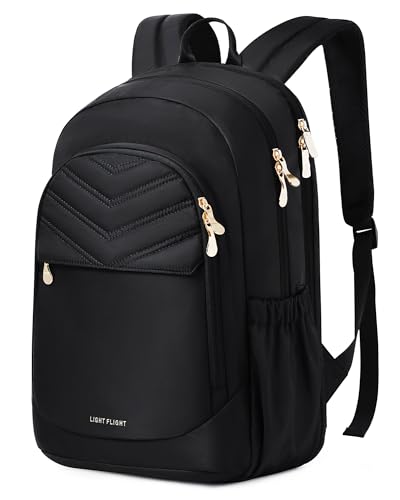
Find out what the charging feature actually includes
A backpack advertised with a USB feature needs a closer description than the word charging. Look for a list of included components: an external port, an internal cable, a battery or some combination. Do not assume a power bank is included unless the exact product description says so. If the listing is unclear, ask the seller what arrives in the package before comparing the price with an ordinary backpack.
Map the intended connection in plain terms. Where does the power come from, which cable connects it and where will the device sit while connected? This exposes practical questions that a photograph of a port cannot answer. It also lets you decide whether the feature improves your routine or merely duplicates the ability to carry a separate charger.
In a passive USB pass-through design, your own power bank supplies the power: it connects to the internal cable, and a compatible external cable connects the backpack port to your device. The bag itself does not generate electricity. Follow the exact product instructions, check which components are included and confirm that the complete connection supports your device. Some advertised charging arrangements differ, so identify the hardware before using this sequence.
Compare the connectors with your actual equipment
Check the connector types on the backpack, battery and device cables. A port's appearance does not establish compatibility with every charging feature you use. If charging speed matters, look for an explicit specification covering the complete connection and your equipment, or ask the supplier. Avoid assuming that a built-in pass-through supports the same performance as connecting your preferred cable directly to the power bank.
Think about replacement. Can the internal cable be removed, can the port be bypassed and is a replacement part available? If the product page does not answer, treat that as an open question. A backpack may last through several phones and cables, so a feature that depends on a particular connector deserves the same scrutiny as a pocket built around one device size.
Test whether the cable route is convenient
Consider where your phone will be while you walk, sit or place the bag under a desk. Check whether the connection requires a cable to cross a zipper or remain outside the bag. Try the route with the devices you intend to use, following their manufacturers' instructions. A built-in port is worthwhile only if the arrangement is more convenient for your own habits.
Also inspect how the battery compartment competes with other storage. Is the battery easy to remove without unpacking lunch and clothing? Will you remember which pocket contains it? A feature that looks tidy in a product photograph can be inconvenient when the bag is full. Keep charging convenience separate from the bag's core requirements of fit, organization and comfortable carrying.
Check the care instructions before cleaning
Read the backpack's care guidance and any instructions for removing electrical components. Do not assume a bag with a port can be cleaned in the same way as a plain fabric bag. If the cable or port cannot be removed, ask the manufacturer how the product should be cleaned and what to do if the component stops working.
A general water-resistant fabric statement should not be expanded into a claim about the charging assembly. Look for the actual documentation and use the equipment as directed. If you cannot establish the intended arrangement, a conventional backpack with separately carried charging equipment may make the purchasing decision simpler. That is a practical design preference rather than a claim that one category is universally better.
For flights, research the battery as well as the bag
The FAA says spare lithium batteries, including power banks, belong in carry-on baggage and must be removed if that bag is checked at the gate. Its guidance also notes that airlines may impose stricter limits. Check the current airline requirements and the battery's specifications before traveling; a backpack sold as travel-friendly does not settle those questions. FAA PackSafe battery guidance
Make removal and access part of your buying check if you expect to fly. Ask whether any supplied battery is removable, and keep its model information and instructions available. Then evaluate the backpack on its ordinary merits: usable space, laptop fit, comfort and support. A charging port can be a useful convenience, but it should earn its place by working with your equipment and routine rather than dominating the whole purchase.
Related questions
Do USB backpacks charge a phone by themselves?
Check what is included. A port or pass-through cable alone does not supply power; the exact product may require a separately purchased power bank.
Can I take a USB backpack on a plane?
Check the bag’s battery arrangement, the battery specifications and the airline’s current rules. FAA guidance requires power banks in carry-on baggage and removal when that bag is gate-checked.